AION CORPORATE RSVP
From invitation to arrival.
Organise your guest lists, send invitations and track RSVPs, digital passes and arrivals in AION HUB.
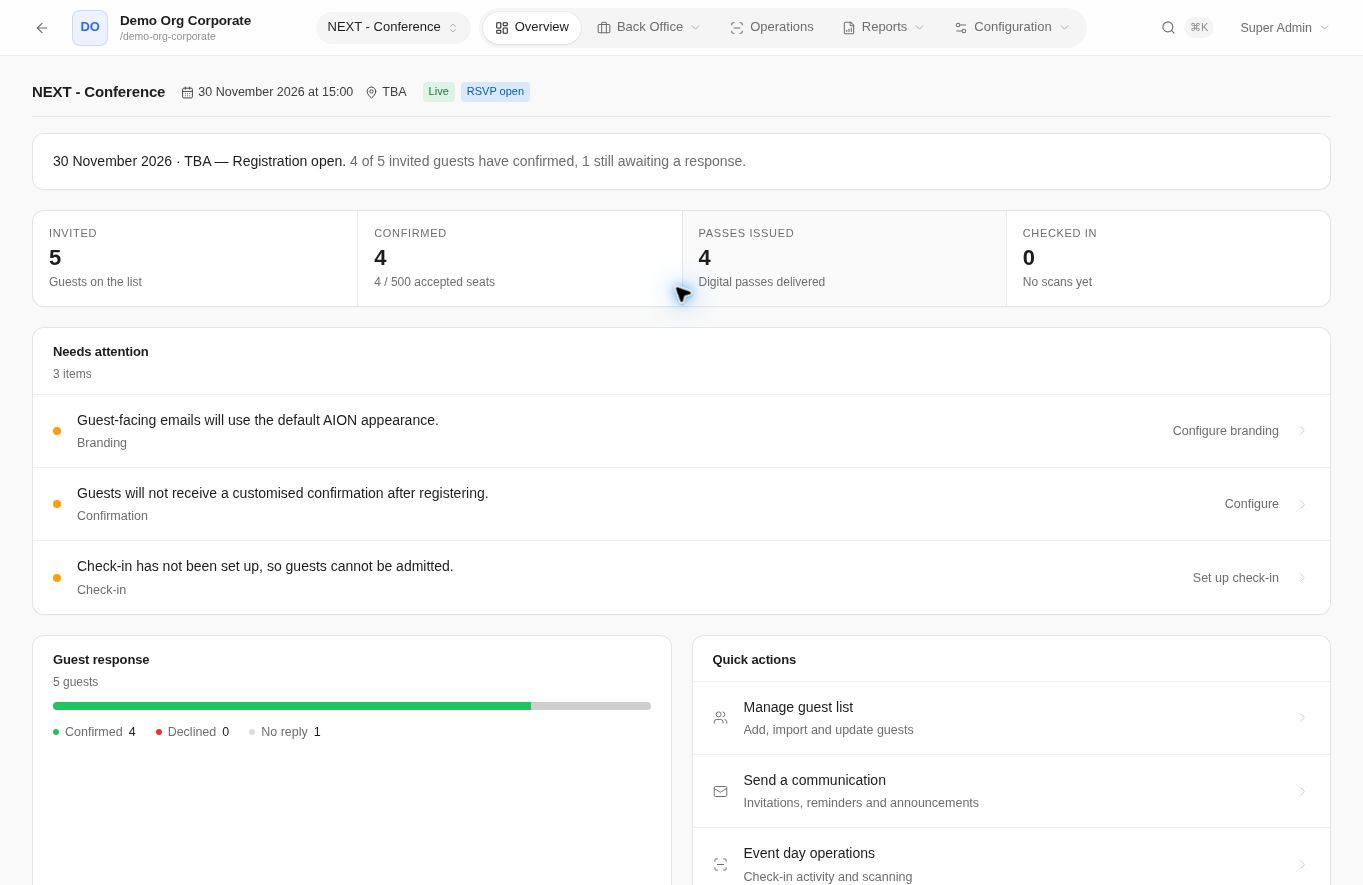
AION HUB demo
View the platform.
Six management screens with test data.
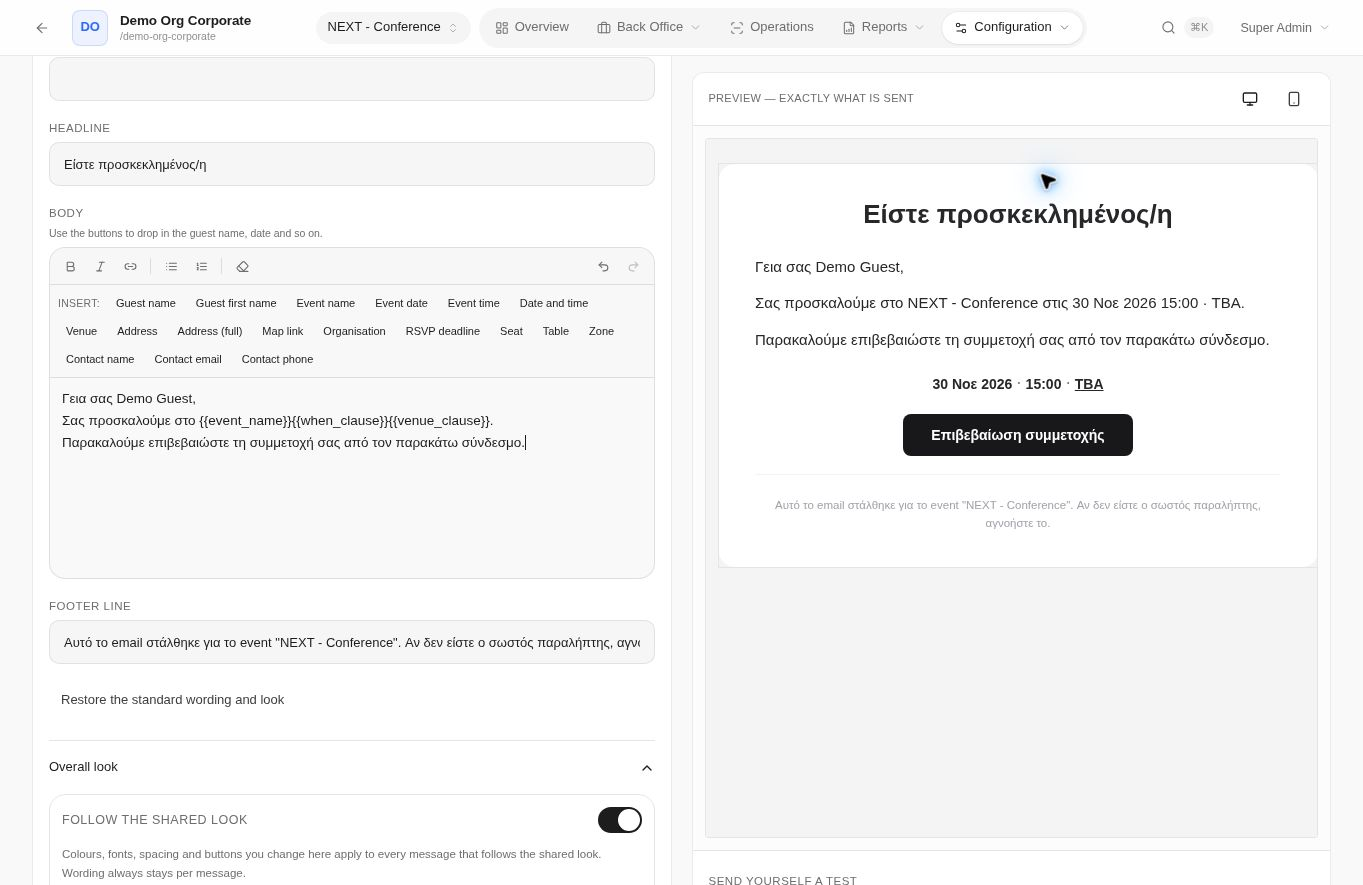
Invitations with dynamic fields and an email preview.
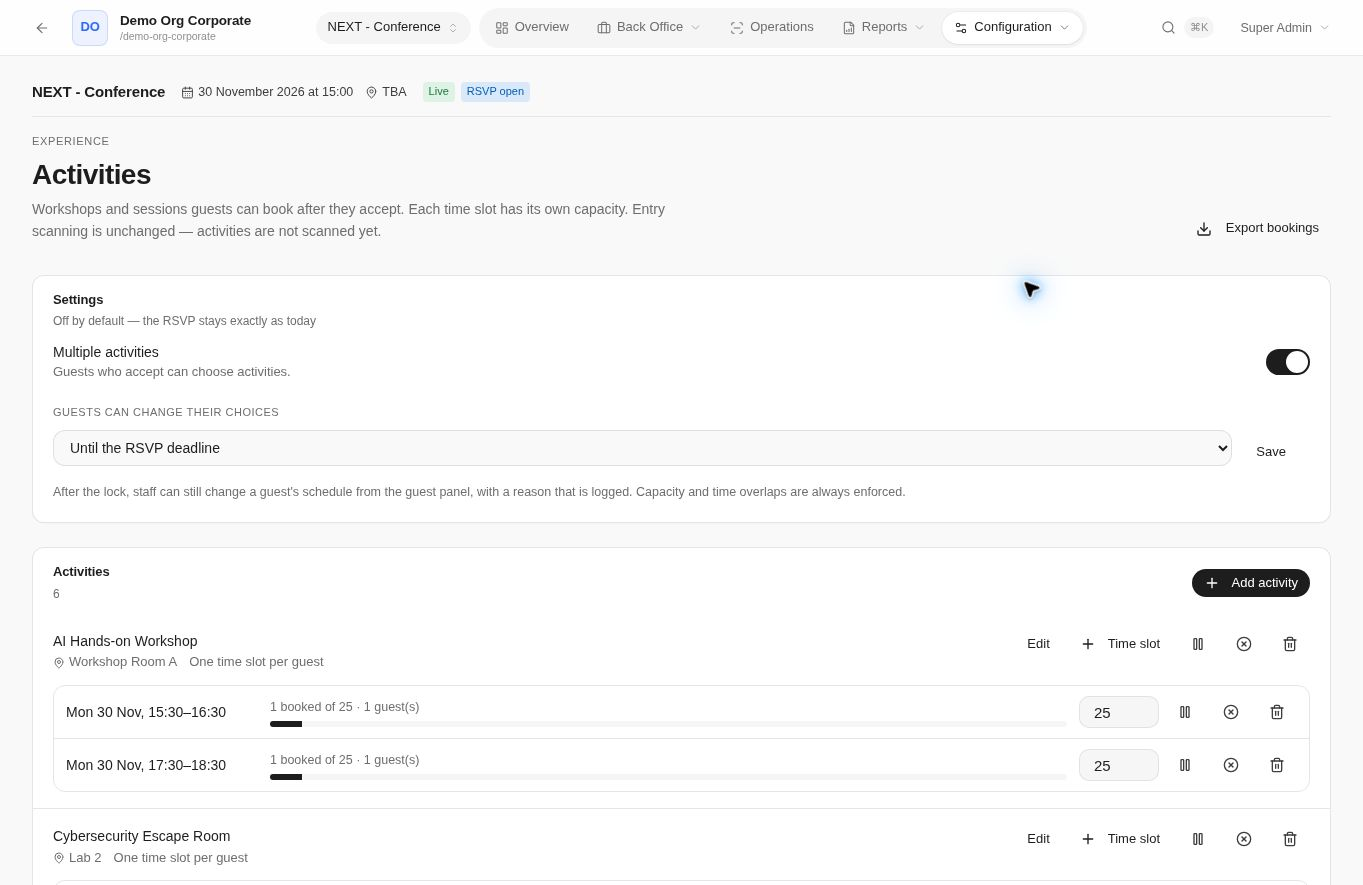
Activities, session times, capacity and bookings, within the same event.
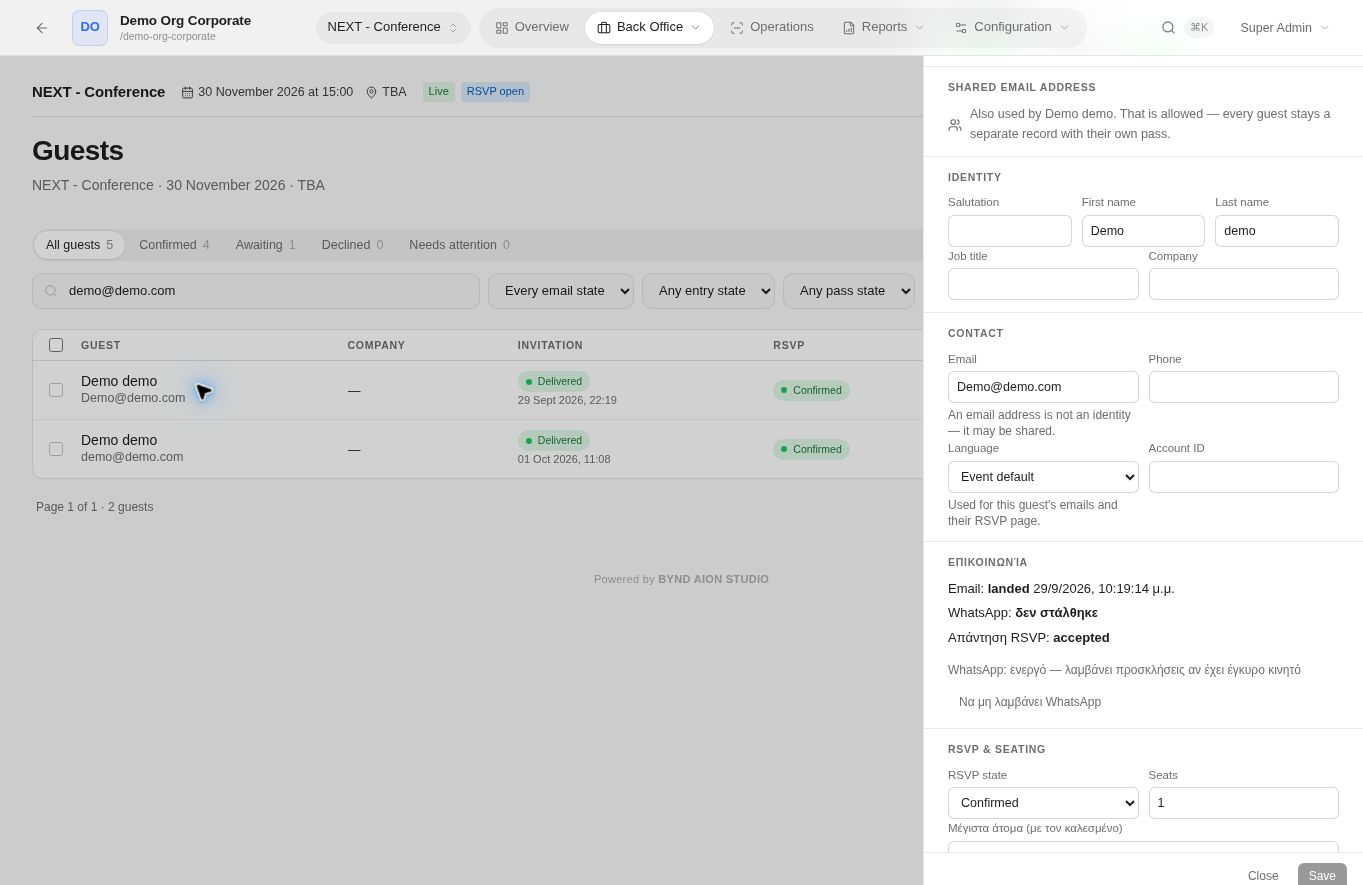
Guest details, communication and participation in one place.
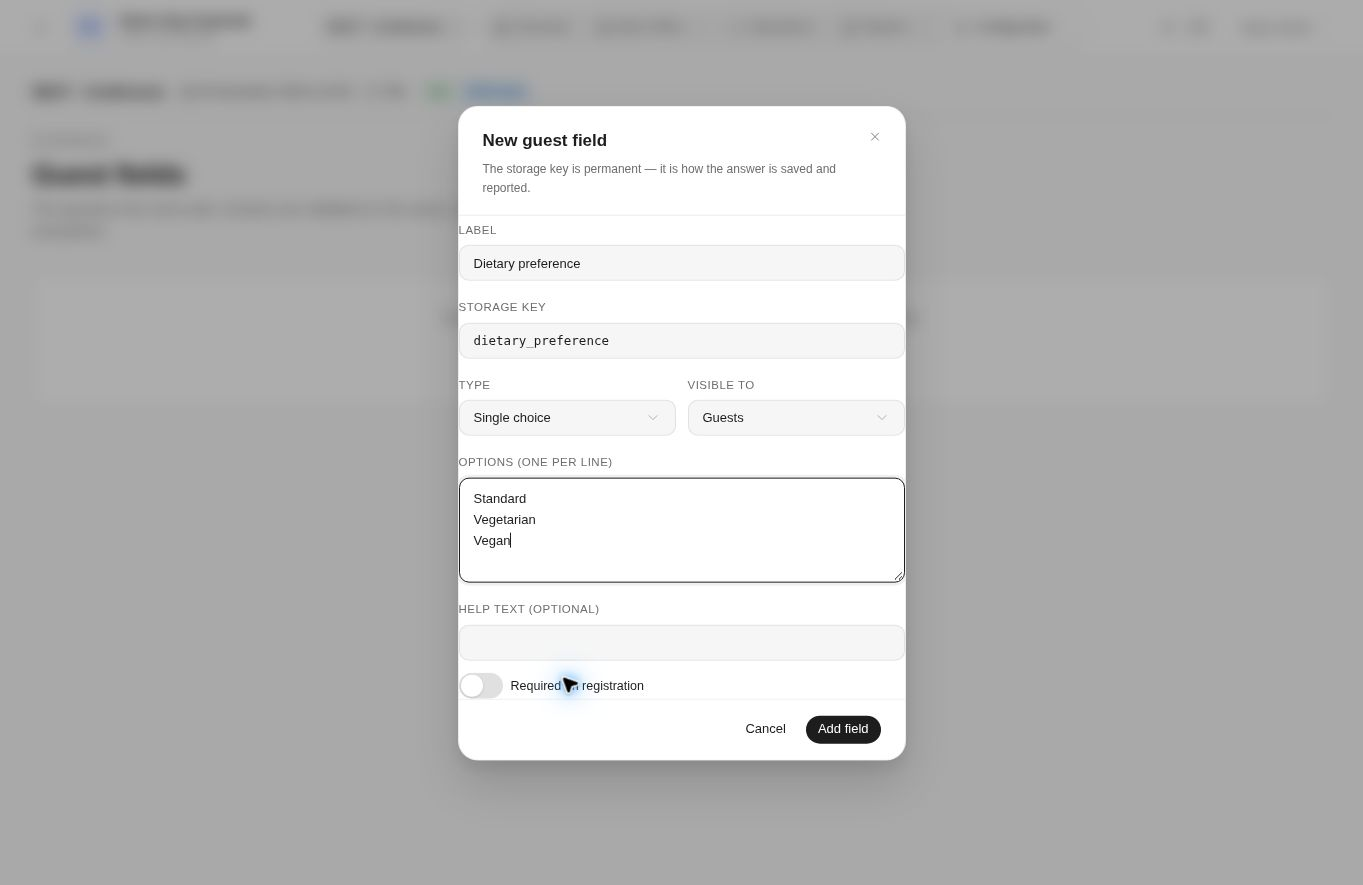
Custom fields and questions for your RSVP form.
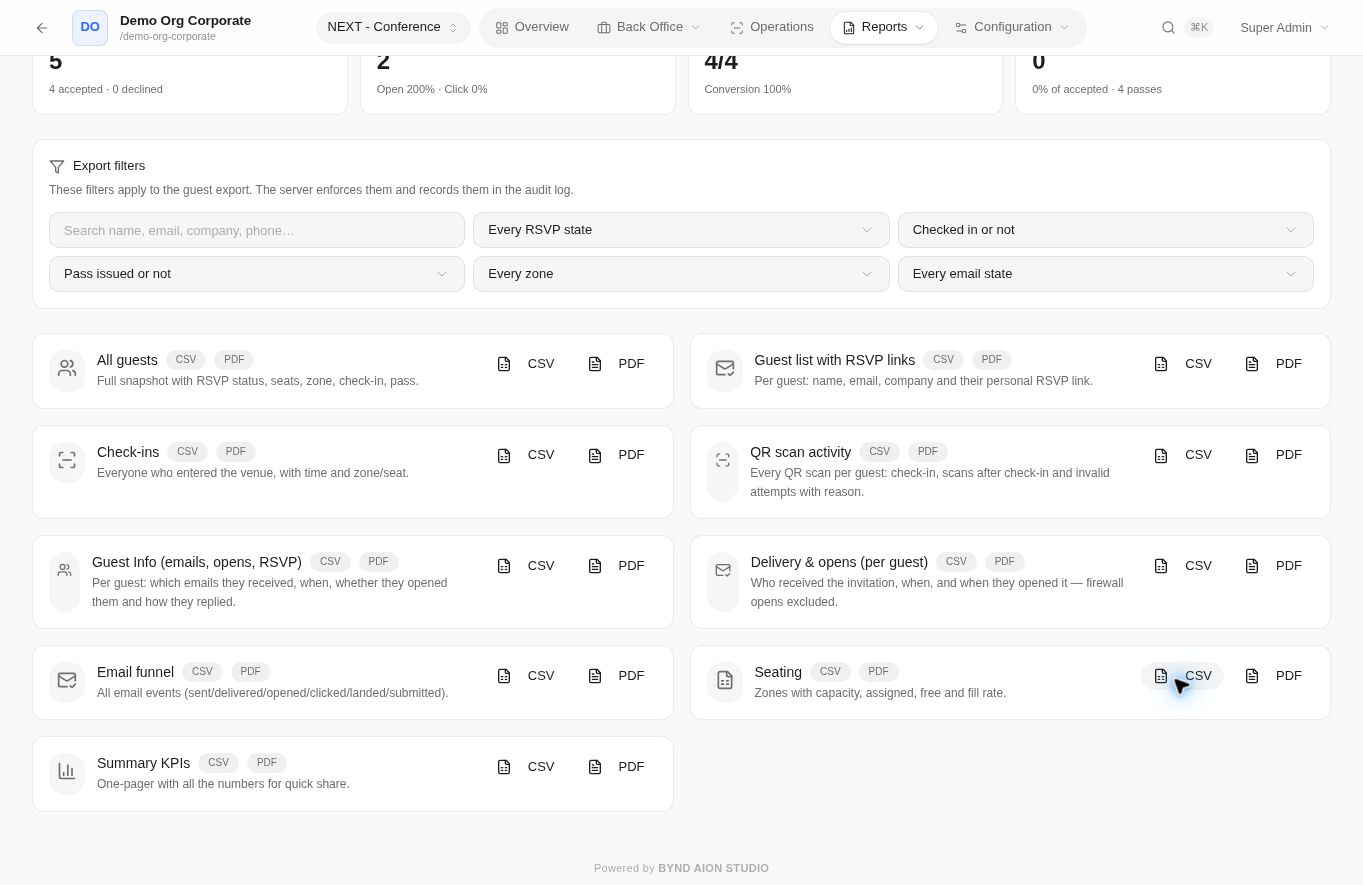
Responses, arrivals and data exports.
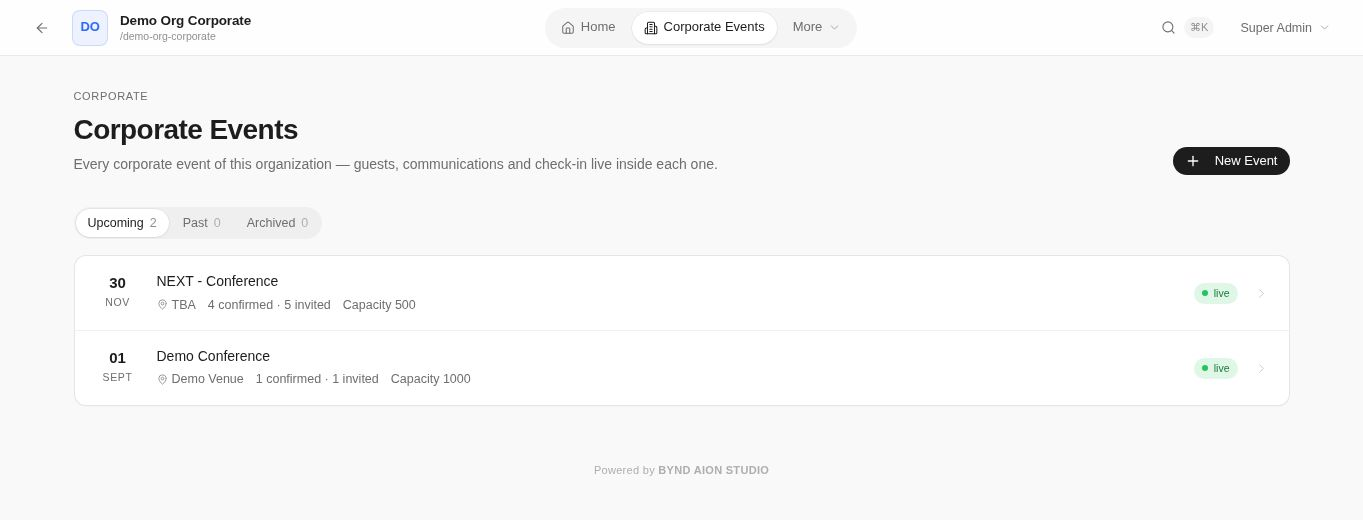
Events with dates, RSVP status and participation information.
AION HUB demo
Check-in with AION Scanner
The reception team scans the QR code or looks up a guest. Arrivals update AION HUB in real time.
Explore the reception workflow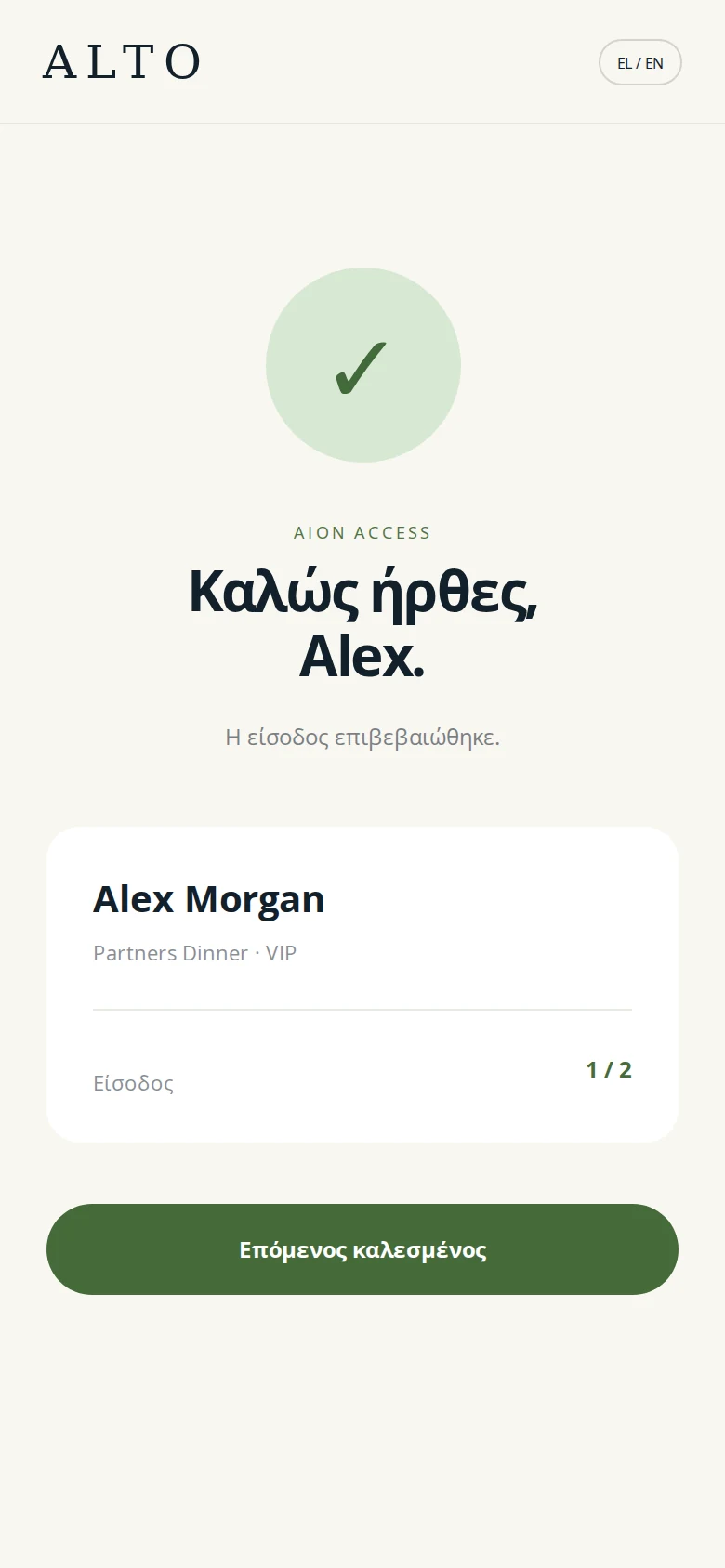
All capabilities
Preparation
Guest lists, invitations and RSVPs.
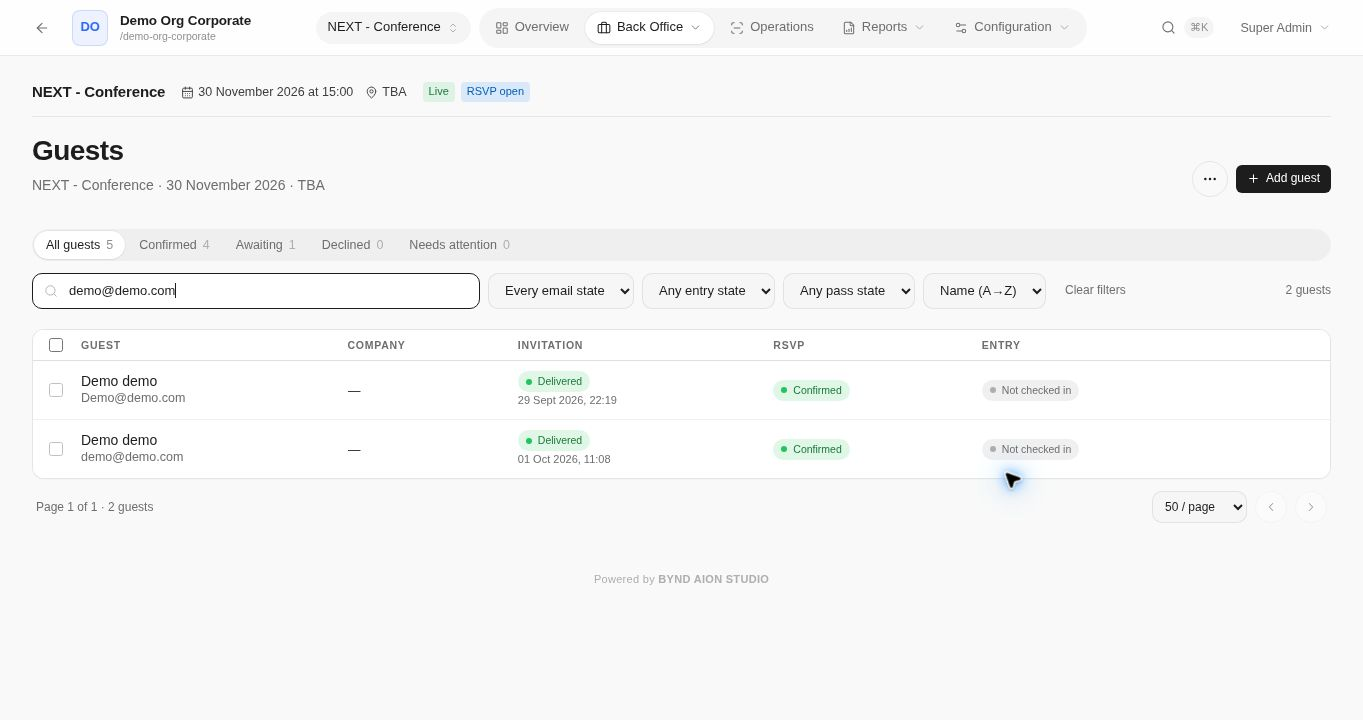
Guests
Organise the guest list and each guest’s history.
- Excel / CSV import and manual additions
- Search, filters and bulk actions
- Details, language and companions
- RSVP, communication and arrival history
RSVP forms
Adapt the form to the information you need for your event.
- Personal invitation link
- Accept, decline and update a response
- Questions and required fields
- Capacity, deadline and Greek / English
Invitations and reminders
Send invitations and reminders by email and WhatsApp.
- Personalised messages in your event’s identity
- Scheduled and targeted sends
- Previews and test emails
- Send history and delivery issues
Activities and programme
Organise activities and guest bookings.
- Available times and capacity
- Bookings for guests and companions
- Schedule conflict checks
- Personal programme and participant exports
Digital passes
Digital passes for Apple Wallet and Google Wallet, with a personal QR code and event details. Also available as PDFs.
- Event logo, colours and information
- Automatic issuance or after approval
- Pass updates
- Pass revocation
Custom sites and API
Build your RSVP site with AION or connect your team’s site through the API.
- RSVP and additional details
- Activity availability
- Digital pass and personal programme
- Integration support
Check-in
From the personal pass to the arrival record.
Guest allocation by zone
Assign guests to zones and monitor capacity.
- Zone name, colour and capacity
- Individual or bulk assignment
- Availability checks
- Search and filters by zone
Check-in
Record entry and monitor arrivals in AION HUB.
- QR scanning or guest lookup
- Validity and prior-admission checks
- Companion admissions
- Live arrivals
Reporting
Event reporting and your next communication.
Reports and exports
Review your event and export the information your team needs.
- Invitations, responses and pending replies
- Digital passes and arrivals
- Activity participants
- Filtered exports
Marketing communications
Manage newsletters and marketing sends separately from personal invitations.
- Recipients eligible for marketing contact
- Compose and preview
- Immediate or scheduled sends
- Preferences and unsubscribe
Team and access
Teams and data across every stage.
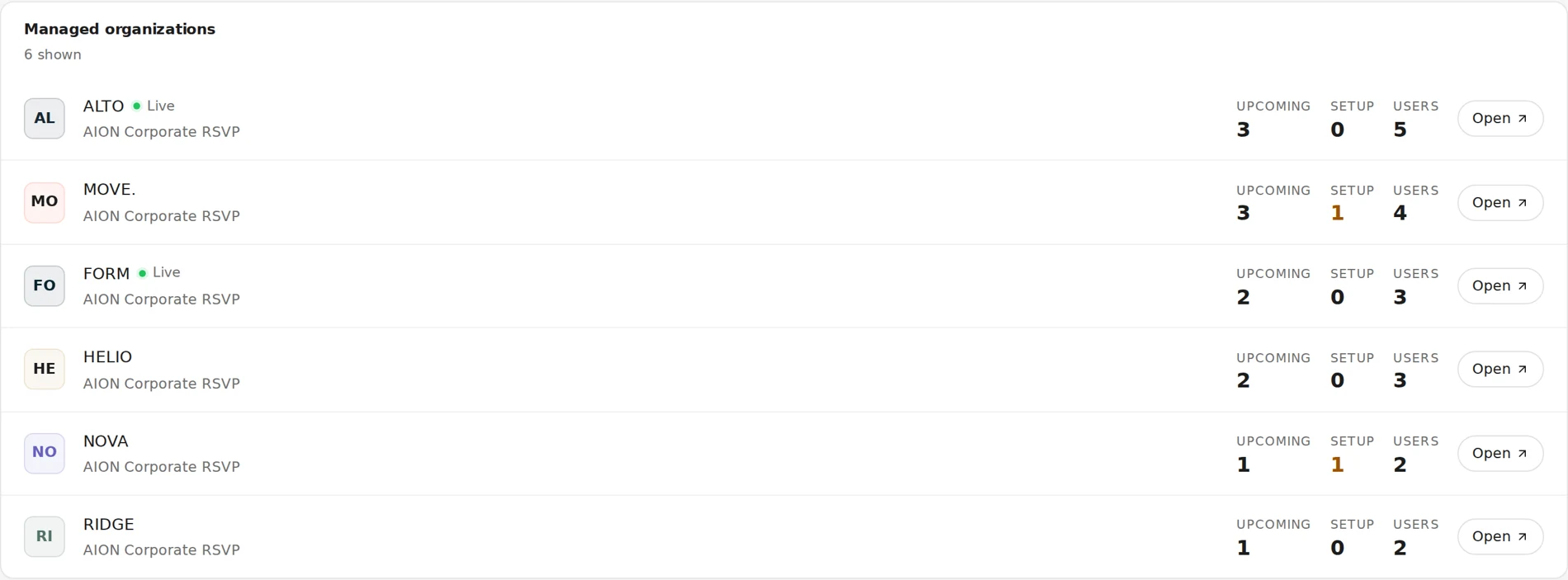
Clients and teams
Manage clients and teams with separate access.
- Separate space for each company
- Multiple events per client
- Agency oversight of clients
- Team accounts and permissions
Data and permissions
Set who can access each event’s information and functions.
- Separate company access
- Management permissions
- Revocable personal links
- Privacy notices and acceptance records
Processing roles, legal basis and retention are defined in the agreement and DPA.
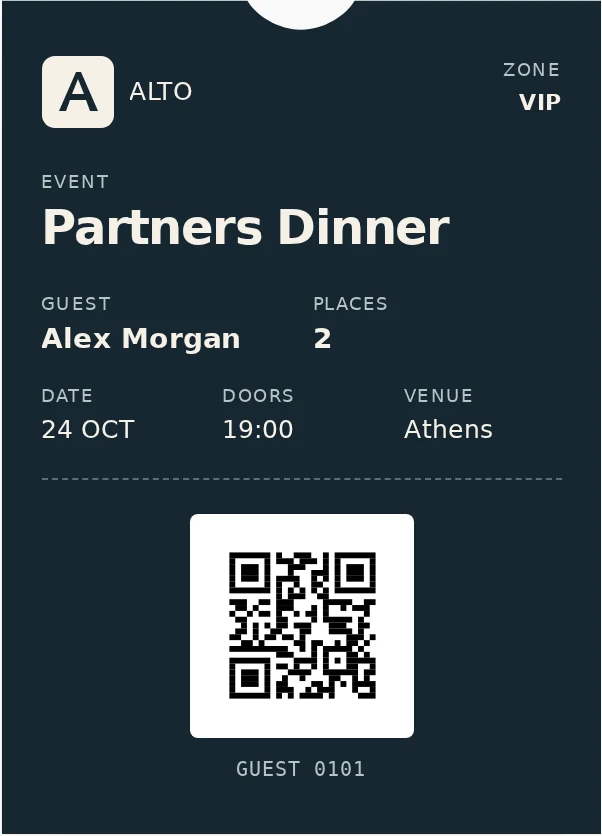
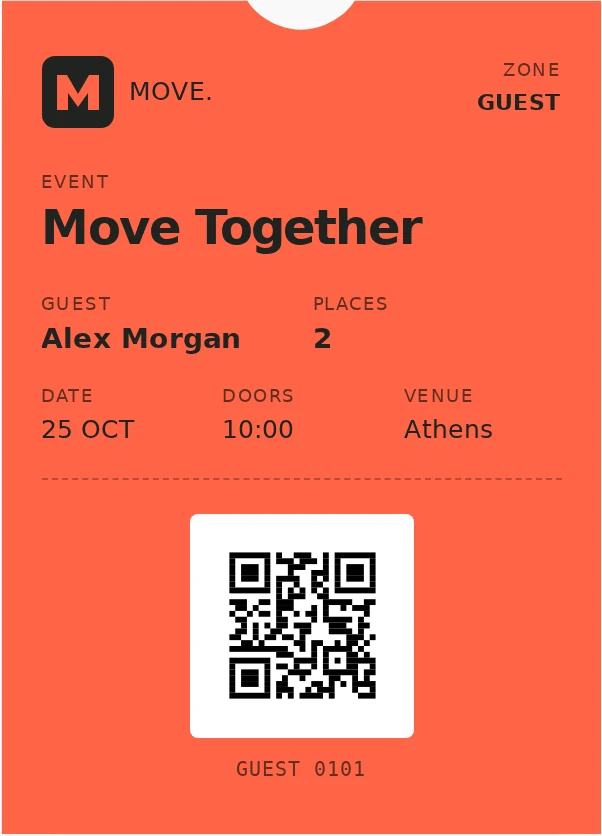
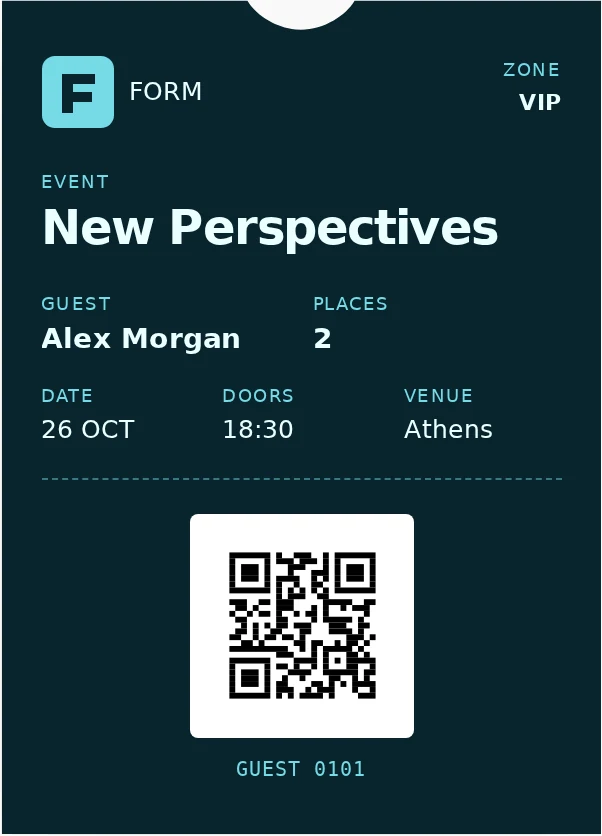
Personal digital passes
Digital passes for Apple Wallet and Google Wallet, with a personal QR code and event details. Also available as PDFs.
Pass design concepts
Frequently asked questions
Can our team manage events?
Yes. Your team gets access to AION Corporate RSVP and the relevant training to manage events.
How does check-in work?
Scan a QR code in AION Scanner or look up a guest. Records update arrivals in AION HUB.
Is an internet connection required?
Yes. Check-in and live arrival updates require an internet connection.
Can we connect our CRM?
CRM integration is bespoke development based on your system, data and needs. It is described as an additional service in the proposal.